

How to Run Payroll on a Credit Card to Earn Points and Miles (2026 Update)
Note: This article reflects my personal experience and community data points as a customer of Zil Money. I am not sponsored by or formally partnered with Zil Money. As noted in our site’s affiliate disclosure, some links may be affiliate links. This strategy may not be appropriate for every business.
Running business payroll on a credit card is still one of the most interesting and potentially high-value points and miles strategies available to business owners.
It can help turn a recurring business expense into transferable credit card points, airline miles, hotel points, elite status progress, or even a fast path toward a large welcome bonus. And the best part is that you do not need to change your payroll provider to make it work.
Editor’s note (March 2026): This guide has been updated based on my latest real-world experience using Zil Money for payroll-by-credit-card transactions, plus additional data points from the BoldlyGo community.
If you’re new to the concept, this guide will walk you through exactly how payroll by credit card works, which cards make the most sense, and when the math actually works in your favor.
What Does “Running Payroll on a Credit Card” Mean?
Running payroll on a credit card means using a payment platform like Zil Money to charge payroll expenses to your credit card. The platform then deposits the funds into your business bank account so payroll can be processed normally through providers like ADP, Gusto, or Paychex.
Key Takeaways
- Running payroll on credit cards can convert a major business expense into valuable credit card points and rewards.
- Using Zil Money allows you to process payroll without changing your existing payroll provider, making it flexible and easy.
- The processing fee of about 2.9% may seem steep, but you can earn significantly more in rewards depending on your credit card.
- Stay updated on changes in processing systems, as issues have occurred in the past but recent experiences suggest more stability.
- Understanding the value of points and redeeming them effectively can lead to significant travel rewards, making this strategy worthwhile.
Table of contents
Why Business Owners Should Run Payroll on a Credit Card for Points and Miles

For many business owners, payroll is one of the largest recurring expenses they will ever have. Imagine converting this unavoidable cost into credit card rewards that could fund your next vacation or upgrade your travel experiences. But how do you actually run payroll on a credit card?
The concept is simple but powerful: you continue running payroll exactly the way you always have, but you receive an “advance” of those funds from your credit card — without triggering normal cash advance fees or higher interest rates.
This involves processing the payroll charge through Zil Bank/Zil Money. This generates rewards points that can then be redeemed for significant travel value. This strategy is a game-changer regardless of your experience level with points and miles.
In simple terms, you are taking a large, unavoidable business expense and making it work harder for you.
And even if you do not currently have a business with payroll, there is still a lot of value in understanding this strategy. This article also helps explain one of the most important lessons in points and miles: paying a fee can make sense if the value of the points earned is greater than the cost of earning them.
That idea matters far beyond payroll.
What’s Changed Since the Original Version of this Guide?
When I first started talking publicly about this payroll-by-credit-card strategy, it worked smoothly for a long time.
Then 2025 happened.
Zil Money went through a period where things got significantly messier. At different points throughout 2025, users reported issues including:
- processing interruptions
- American Express not working for periods of time
- monthly transaction limits
- transactions getting blocked after the monthly cap was reached
- industry restrictions that affected some businesses but not others
If you tried this strategy in 2025 and got frustrated, you were not imagining it. A lot of us dealt with the same thing.
The biggest reason I waited to publish a fuller update is because I wanted to see some stability first. As of this 2026 refresh, the system has been much more consistent again, though I still want to be very clear: this is a moving target. Coding can change. Processors can change. Restrictions can change. That is true of just about every outsized points strategy.
We kept our listeners updated through our Podcast Quick Hits (Friday episodes) and had real-time updates generated by our amazing WhatsApp Community chat (link to access is provided by joining our newsletter).
Below you’ll find the full timeline of Zil Money updates that impacted running payroll on a credit card.
Zil Money System Changes & Updates History
3/7/25 Update: It seems they’ve been in the process of updating their processing system and running payroll by card is delayed until 3/17 according to their site.
3/18/25 Update: After speaking with them as to why the system is still not ready here is the response received: The update was scheduled initially from our end, the credit card processor, and the banking partner. Unfortunately, the update from our credit card processor has not been completed yet. We are sorry, but as per the latest update from our credit card processor, this update has been pushed to next week. We are expecting this to be available before the end of the next week [3/28].
3/26/25 Update: It’s back! However their processing of American Express is not authorized yet. There is not a current ETA they’ve been able to provide me. Here’s the official update from their website: Our Amex card service is temporarily unavailable as we work on enhancements for a smoother user experience and will be back soon.
3/31/25 Update: It’s been down for maintenance again, but Zil Chat says that it should be back sometime soon. That being said, after processing a payroll, it did not code as a 3x category, so it makes sense to pivot to a card that earns 1.5x or 2x on everything. After the system is fully up and running, with Amex integration, we will full update this article AND do a new podcast episode.
4/30/25 Update: Still down, I was successfully able to get refunded my monthly fee for the last 2 months through their chat feature, with no push back just explaining that there’s not point in paying if I can’t use the service. When asked for an update, they said they expect to relaunch the end of may. When asked for a reason for the issues, I was told: We have switched our banking partner, and as a result, underwriting and some security updates are currently in progress.
5/19/25 Update: Still no good news. Here’s the most recent response I’ve received: Good morning. We are sorry, but as of now, we have not received an exact date on when the feature update will be completed. However, we are expecting an additional one-month delay before it will be available. We apologize for the inconvenience.
I asked for another refund of charges and was told this:
We can certainly refund you the charges. We have escalated the issue to the billing team, and the refund will be initiated shortly today. Also, you will not be charged until the feature is live.
6/11/25 Update: Things are looking a bit more promising. Now expected to be back the last week of June: Please be informed that our card payment option will not be available until the last week of June. This is one of our premium features, and based on the latest update it will be accessible to all customers by this month; however, we cannot currently provide an estimated time of its return. We appreciate your patience until the end of this month.
6/25/25 Update: Seems like we are back! I was able to get a recent payroll charge to go through (although they rejected me when I tried to run one back from March). Will provide a full update to the blog post, and a full episode update once we can research how the cards process!
7/18/25 Update: I can confirm that the new processor codes as “Electronic Goods and Software” and is eligible for the 4x bonus with the Amex Business Gold Card!
7/23/25 Update: It seems they have a max processing ammount in place while they “test” the new system after the major overhaul. This means you now see a popup that says they’ve reached their monthly credit processing limit. Here’s what they said when I asked about this: Since the feature is currently under testing after the major update, we expect the limit to be removed shortly in the upcoming months. You will be able to submit the transaction on the 1st of August as of now.
8/5/25 Update: While I was able to run a successful payroll charge on 8/1. Others who tried on 8/2 and after said it was down again. Here’s what I learned from the chat with support: Due to a major update implemented a few weeks ago, the program is currently in a testing phase with a system-wide usage limit, which has already been reached. The team is actively evaluating the feature to ensure everything functions smoothly before the official release.
The feature is expected to go live shortly. Once it is live, you will be able to resume and submit transactions.
When Asked how long the testing phase is for, I was told this: We will provide you with updates via email. As you know, there are several partner banks involved in this process, and we must wait for their policies to be revised and to meet compliance standards. We are making every effort to expedite the processing.
8/21/25 Update: One of our members in our BoldlyGo Facebook Group messenger chat gave us the heads up that the site was back up and running, and a lot of us were able to get more august payroll’s processed. I did notice that now you can only select a future date, instead of a past date, so you will want to run this in advance, not after payroll has already gone out.
9/1/25 Update: Many of us were able to run payroll with no issues being that’s a new month, will see how long until they hit their transaction limit again.
11/18/25 Update: Since our last note on 9/1, Zil Money’s payroll-by-credit-card feature has been a full roller coaster. On November 1st they brought on a new processor that initially blocked certain “higher-risk” industries (including medical, travel, and financial services) from running card payments. That’s why some of you suddenly saw a pop-up saying your industry was no longer supported, while others in the same field sailed through—turns out the key was how your business category was originally set during Zil’s underwriting/KYB process, not just what you see in the simple “account management” dropdown. Zil has since pushed for exceptions and, based on our community’s data points, many medical practices are now able to process payroll again, while some financial/other categories are still running into restrictions. I was able to get things working by linking another existing company of mine (categorized more broadly as professional services) and connecting that entity to payroll, but my wealth management entity continues to be blocked as of this writing.
The good news: Zil seems to be slowly increasing or better managing their monthly processing limits. Instead of everything shutting off after a “Hunger Games” sprint on the 1st, many of us have been able to run transactions deeper into the month, and in November processing even reopened mid-month after initially hitting limits. On the rewards side, one of our WhatsApp community members has successfully triggered 3x earnings again on the Chase Ink Business Preferred with the current setup—so the classic 3x play may be back for at least some users. I haven’t personally re-tested it yet because I’m working on a welcome bonus with the Amex Business Gold, but I’ll update once we have more consistent data. In the meantime, flat-rate earners like Capital One Venture X / Venture X Business (2x) and the Amex Business Platinum (now 2x on purchases $5,000+) remain solid “default” options when category bonuses are unclear. As always: this is still a moving target, I have zero formal affiliation with Zil Money, and everything here is based on our real-world experience as customers.
12/15/25 Update: It seems like everything is back to normal for the most part. The industry issue is still an issue, but the process to run a payroll on credit card has mostly been unchanged, and the Chase Ink Business Preferred is consistently earning 3x now.
What Is Zil Bank/Zil Money?
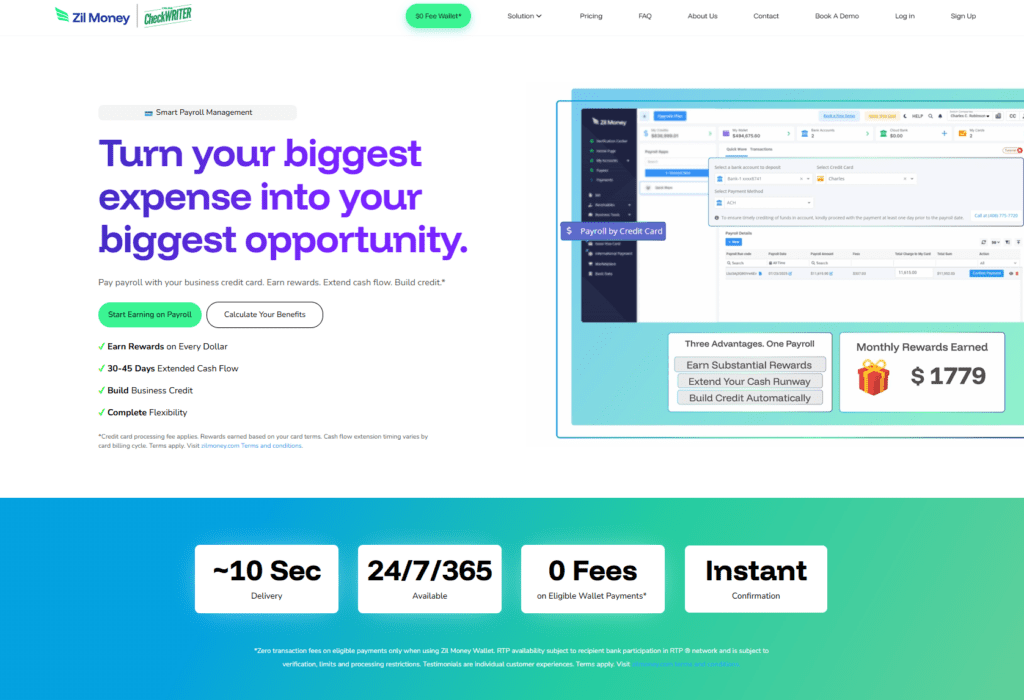
Zil Bank and its Zil Money Platform is a business banking platform that offers a range of tools for entrepreneurs, including the ability to process payroll using a credit card. Unlike traditional payroll processors, Zil Money allows you to earn points on your credit card transactions while seamlessly integrating with your existing payroll provider. The best part? You don’t need to change your existing payroll provider to make it work
Key Features:
- Seamless Integration: Link your business bank account and credit card to Zil Bank without changing payroll providers like ADP, Gusto, or Paychex.
- Ease of Use: Upload your payroll summary, select the credit card to charge, and process payroll without switching platforms.
- Transparent Fees: Zil Bank charges a 2.9% transaction fee per transaction.
How It Works
Here’s a step-by-step breakdown of how to use Zil Bank for payroll:
1) Set Up Your Account:
Create an account with Zil Money and link your business bank account and credit cards. While there is a free trial of their business suite of services, accessing payroll by credit card requires their basic business membership which is $50/month or $399 for the year. You can “test drive” the program for a few months before they will inevitably contact you saying you’ll need to start paying to continue.
2) Setup your financials:
You’ll need to connect the business bank account you want the payroll funds deposited into, ideally the same account you already use for payroll. If your bank can be linked through Plaid, setup may be instant. If not, you may need to use the micro-deposit verification method, which can take a couple of days.
You’ll also need to add the credit card you want to use. Linking the card requires a secure upload of the front and back of the card, so make sure you have it physically available when you go through setup. In my experience, they needed to see the full card number for verification.
When I first started using this strategy, I only ran payroll on business credit cards tied to the same company listed on the payroll report. Since then, both my own testing and data points from our community have confirmed that any credit card can typically be used, even if it isn’t tied to the business running payroll. That said, Zil Money still reviews transactions during processing, so it’s important that the payroll itself is legitimate.
That flexibility is one of the reasons this strategy can be powerful for hitting large welcome bonuses or maximizing category rewards.
3) Process Payroll:
Run payroll through your normal provider, whether that’s ADP, Gusto, SurePayroll, QuickBooks, Paychex, or another platform, and generate your payroll summary.
Then log into Zil Money, go to Payroll by Credit Card, and enter:
- the payroll check date
- the gross payroll amount
- the bank account where the funds should be deposited
- the credit card you want to use
- the payroll summary PDF
One important change from the earlier version of this strategy: the payroll date generally needs to be upcoming. In other words, you should not assume you can submit payroll by credit card after the payroll date has already passed.
You’ll also choose how much of the payroll you want to run on the card. You can fund up to the full gross payroll amount, and the system will show the fee before you finalize the transaction.
4) Authorize Payment:
Once submitted, Zil Money will walk you through a few verification steps, including digital authorization and two-factor authentication. After approval, your credit card is typically charged in two separate transactions:
- one for the payroll amount
- one for the fee
As of my more recent experience, the fee is generally around 2.9%, not the older 3% plus $10 structure I originally discussed. So on a $10,000 payroll, you can expect a fee of about $290, though some users have reported slight variations.
After processing, the payroll amount is deposited into your linked business bank account. In most cases, this takes about three to five business days, though sometimes it can happen faster.
5) Pay Off the Balance:
Once the payroll amount appears in your business bank account, pay off the credit card balance. Since you should already have had the cash available to cover payroll, this allows you to earn the points without carrying debt. Personally, I pay the card off as soon as the funds hit my account and treat the fee as the true cost of earning the rewards.
In most cases, funds are deposited within 3–5 business days, so make sure you plan your payroll timing accordingly.
Why the ~2.9% Payroll Processing Fee Is Worth It
At first glance, a roughly 2.9% processing fee might seem steep. But depending on the credit card you use and how you redeem your points, the value of the rewards can outweigh the cost.
Let’s break it down using one of the most common cards for this strategy: the Chase Ink Business Preferred which we will refer to as the “CIBP.”
Earning Potential:
Zil Money transactions often code as “office and shipping.” This earns you 3x points per dollar with the CIBP up to $150,000 per year in combined category spending.
This category is combined with others like travel, advertising, and internet services toward the $150,000 annual cap.
- Your processing fee would be about $290.
- For a $10,000 payroll, you would earn 30,870 points (including 3x for the fee paid).
Redemption Value:
Redeem through the Travel Portal:
- Points are typically worth about 1 cent per point, but can reach up to 2 cents per point depending on the flight, hotel, or Points Boost offer available in the portal and what other cards you hold with the same issuer.
- That translates to $308–$617 in travel value from 30,870 points.
Transfer to travel partners:
- With strategic transfers to airline or hotel partners, it’s possible to achieve 2–10 cents per point.
- This turns 30,870 points into $617–$3,087 in travel rewards.
Even at the lowest redemption value of 1 cent per point, you’ve made a slight profit after covering the fee. At higher redemption rates, the returns become dramatically larger.
Example: Real Annual Impact
If you ran $10,000 payroll every two weeks, that would look like this over a full year:
- Total annual payroll processed: $260,000
- Total fees paid (~2.9%): about $7,540
- Total Chase points earned: about 802,620 points
- Estimated travel value (at 2¢ per point): about $16,052
That means even after paying roughly $7,540 in (tax deductible) processing fees, you could still generate over $16,000 in travel value, depending on how you redeem your points — potentially enough for multiple business class flights or luxury hotel stays each year.
Another Example (2x Earning Cards):
You’re using a card that earns 2x points on purchases, such as the Capital One Venture X Business, or the American Express Business Platinum Card, which earns 1x on purchases but 2x on transactions over $5,000.
Since a $10,000 payroll exceeds that threshold, both cards would earn 2x points in this scenario.
(Note: while doable, I generally would not recommend using a card that earns less than 1.5x unless you are specifically trying to hit a sign-up bonus or welcome offer.)
Using a $10,000 payroll example:
- Fees (~2.9% processing): about $290 total cost
- Points Earned: about 20,580 points
Redemption Value
If you redeem points through travel portals alone, the return is often modest.
- Capital One Travel Portal: Points are typically worth 1 cent per point, resulting in about $206 in travel value.
- Amex Travel Portal: Points are also generally worth 1 cent per point, resulting in about $206 in travel value.
In both cases, the value of the points does not fully offset the processing fee on its own.
Maximizing Value Through Transfers
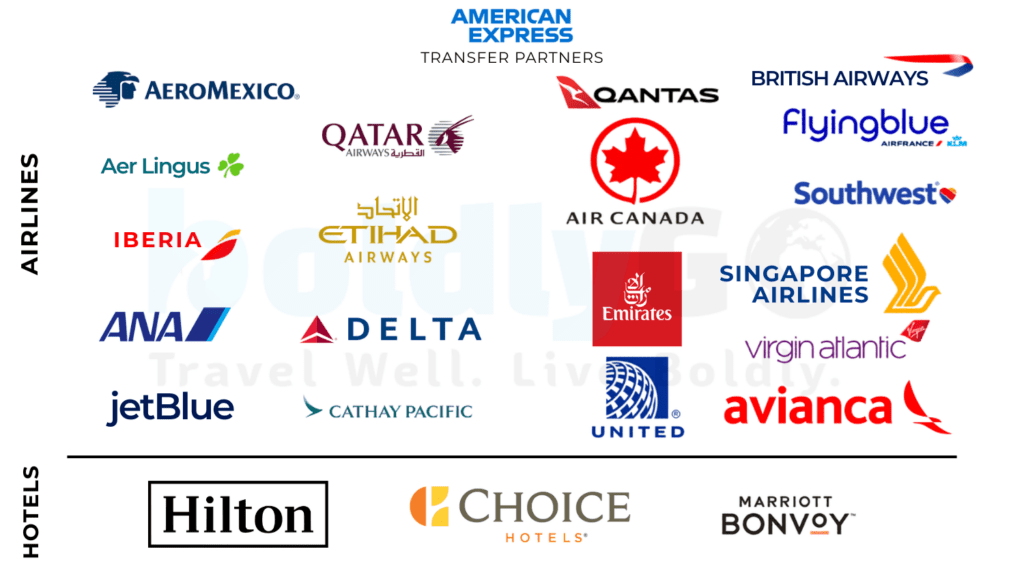
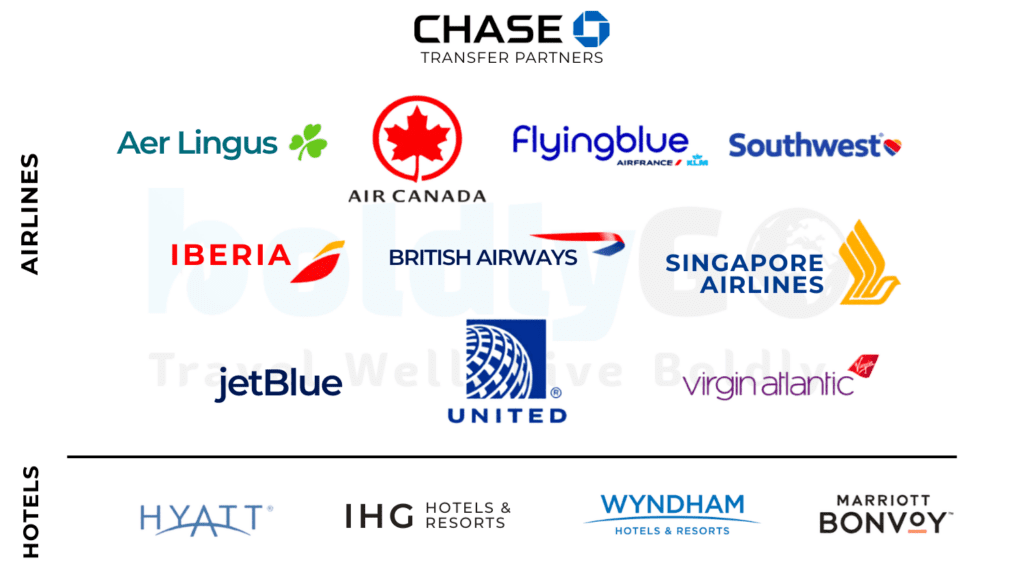
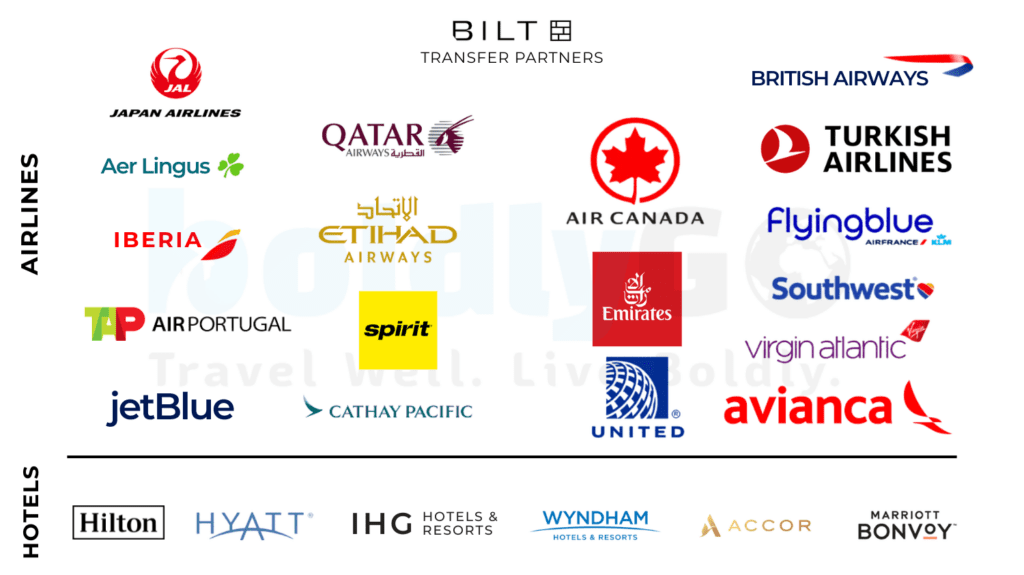
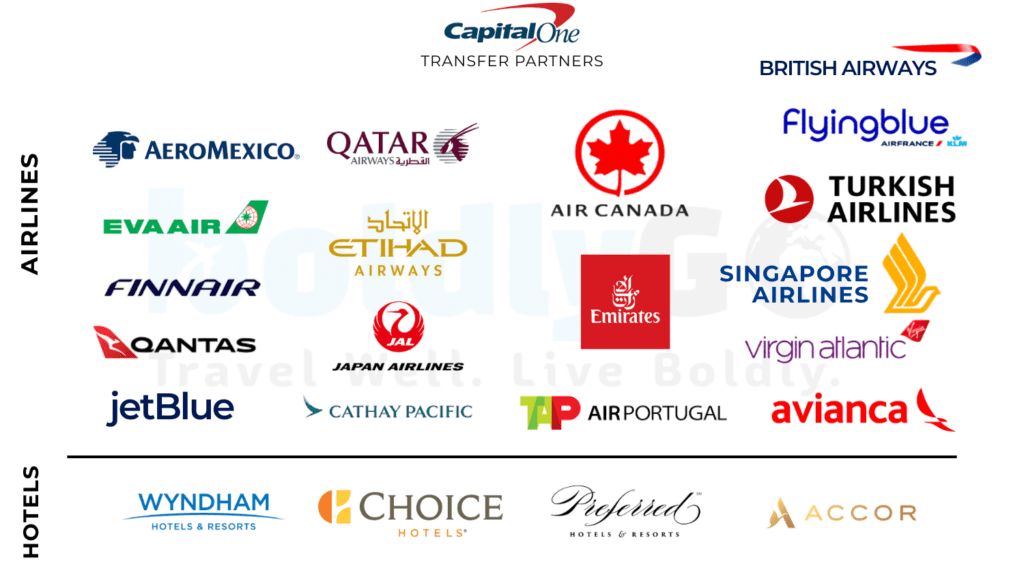
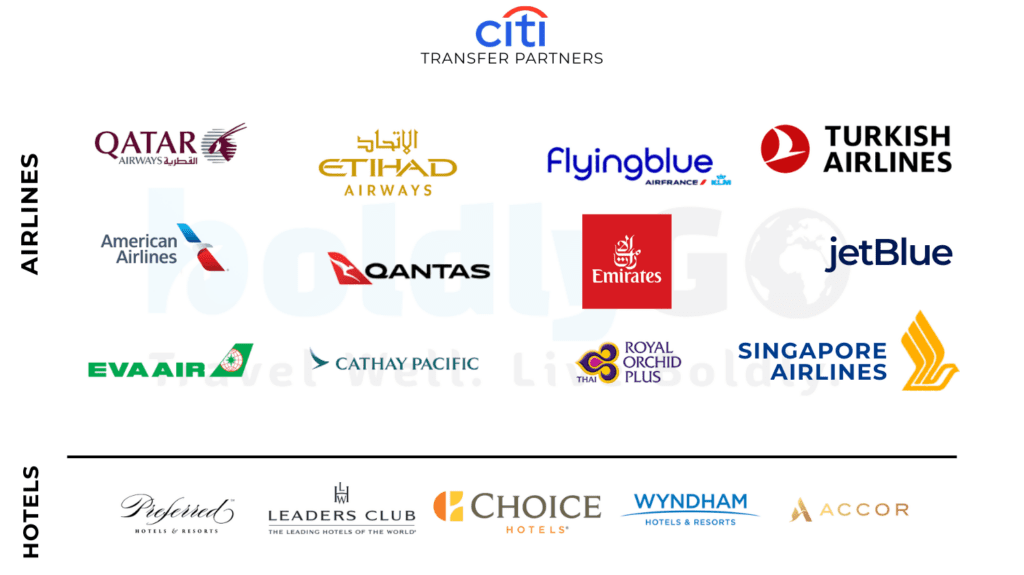
To make this strategy worthwhile with lower earning multipliers, the key is leveraging transfer partners.
To break even on a $290 fee, you would need to redeem points at roughly 1.4 cents per point or higher.
At higher redemption rates (for example 2–10 cents per point), 20,580 points could be worth:
- $411 at 2¢ per point
- $617 at 3¢ per point
- $2,058 at 10¢ per point
That’s why understanding how to transfer points to airline and hotel partners is one of the most important skills in the points and miles world.
Best Credit Cards for Running Payroll on a Credit Card (2026)
Because transaction coding can change depending on the processor, the cards below are based on current data points from my own testing and the BoldlyGo community.
| Card | Earn Rate | Why It Works |
|---|---|---|
| Chase Ink Business Preferred | 3x | Often codes as office/shipping, making the math work even after fees |
| American Express Business Platinum | 2x on purchases over $5k | Ideal for large payroll transactions and hitting welcome bonuses |
| Capital One Venture X Business | 2x | Simple, scalable rewards for large recurring payroll spend |
| World of Hyatt Business Credit Card | 2x (1x immediately and 1x quarterly as your top category of the quarter) | Helps with getting elite qualifying nights (5 Nights for every $10,000 of spend) to get Globalist status easily |
Considerations and Best Practices
When Does It Make Sense?
- Use this method when the value of the points earned exceeds the processing fees.
- For maximum returns, pair this strategy with cards offering strong earning multipliers or large welcome bonuses.
Avoid Financial Pitfalls:
- Pay off your card balance immediately once the payroll funds hit your account to avoid carrying interest.
- Do not use this strategy as a way to “float” payroll if your business cash flow is tight.
Tax Deductibility:
The processing fees and Zil Money membership fee are typically tax-deductible business expenses. Always confirm with your CPA to ensure this applies to your situation.
Stay Within the Rules:
- Payroll expenses should always be legitimate business payroll.
- Do not attempt to game the system with fake employees or fraudulent reporting.
Platform Restrictions Can Change
One important thing I learned after publishing the original version of this strategy is that systems like this can change quickly.
At different points in 2025, users reported:
- temporary processing interruptions
- certain card issuers not working
- monthly transaction limits
- industry restrictions for some businesses
As of this update, the system appears to be operating more consistently again, but this strategy should always be viewed as something that can evolve over time.
Real-Life Applications
Running payroll on your credit card can generate meaningful rewards for business owners. Here are a couple of real-world scenarios where this strategy can make practical sense.
Example 1: Small Business Owner with a 3x Earning Card
- Monthly Payroll: $20,000
- Estimated Fees (~2.9%): about $580
- Points Earned: about 61,740 points
Estimated redemption value:
- $617–$1,235+ through travel portals
- $1,200–$6,000+ with strong transfer partner redemptions
Example 2: Hitting a Welcome Bonus
Need to spend $30,000 in three months to earn a 150,000-point welcome bonus on a premium business credit card?
Using payroll by credit card can help you reach those spending thresholds quickly, turning an unavoidable business expense into a valuable rewards opportunity, and using Zil Money for payroll can help you hit that target quickly and efficiently.
Frequently Asked Questions About How to Run Payroll on a Credit Card
Is it legal to run payroll on a credit card?
Yes. Services like Zil Money act as a payment intermediary that charges your credit card and deposits funds into your bank account, allowing you to process payroll normally through your existing payroll provider.
Do I need to change my payroll provider to use this strategy?
No. One of the advantages of Zil Money is that it works alongside your existing payroll system such as ADP, Gusto, Paychex, or QuickBooks Payroll.
Does the Chase Ink Business Preferred Still Code as 3x?
Yes
Will get 5x on the Chase Ink Business Cash or 4x on the Amex Business Gold?
No
Will this code as a cash advance?
In most data points, these transactions code as normal purchases rather than cash advances.
How long does it take for the funds to arrive?
In most cases, the funds arrive within 3–5 business days, though timing may vary depending on bank processing and verification requirements.
Is paying the processing fee worth it?
It can be, depending on the card you use and how you redeem your points. The strategy works best when the value of the rewards exceeds the processing fee.
How much does it cost to be on the Zil Money Platform?
They advertise 100+/month or $700+/year, however many in our community have been able negotiate much lower costs, such as $50/month, $800 lifetime, $400/year etc. Your best bet is to negotiate with them.
Who This Strategy Is Best For
This strategy works best for:
- Business owners with large recurring payroll
- Companies trying to earn large welcome bonuses quickly
- Travelers who understand how to transfer points for high-value redemptions
It may not make sense for:
- Businesses with tight cash flow
- Those redeeming points for cash back or low-value portal redemptions
Final Thoughts
Running payroll on a credit card through Zil Money can be a powerful strategy for business owners who understand how to maximize points and miles.
When used responsibly, it allows you to convert one of your largest recurring expenses into transferable rewards that can fund premium flights, luxury hotels, and unforgettable travel experiences.
But like many advanced points strategies, it works best when you:
- understand the math behind the fees
- know how to redeem points for strong value
- stay flexible as platform rules and processing systems evolve
For the right business owner, this can turn routine payroll expenses into hundreds of thousands of points per year.
If you’re experimenting with strategies like this, the best place to stay updated is our BoldlyGo newsletter and WhatsApp community, where members share real-world data points on what cards are currently working.
Related posts:
 Debunking Top 10 Misconceptions with Points & Miles Travel
 Flying on points and miles – How to fly for free
 The Best Business Credit Card Strategy for Business Partners: How to Share Points and Maximize Rewards
 Luxury Travel on a Budget: How Musicians and Creatives Can Travel First Class Without the First-Class Price Tag
